Integration Start
General Overview of the Integration Process
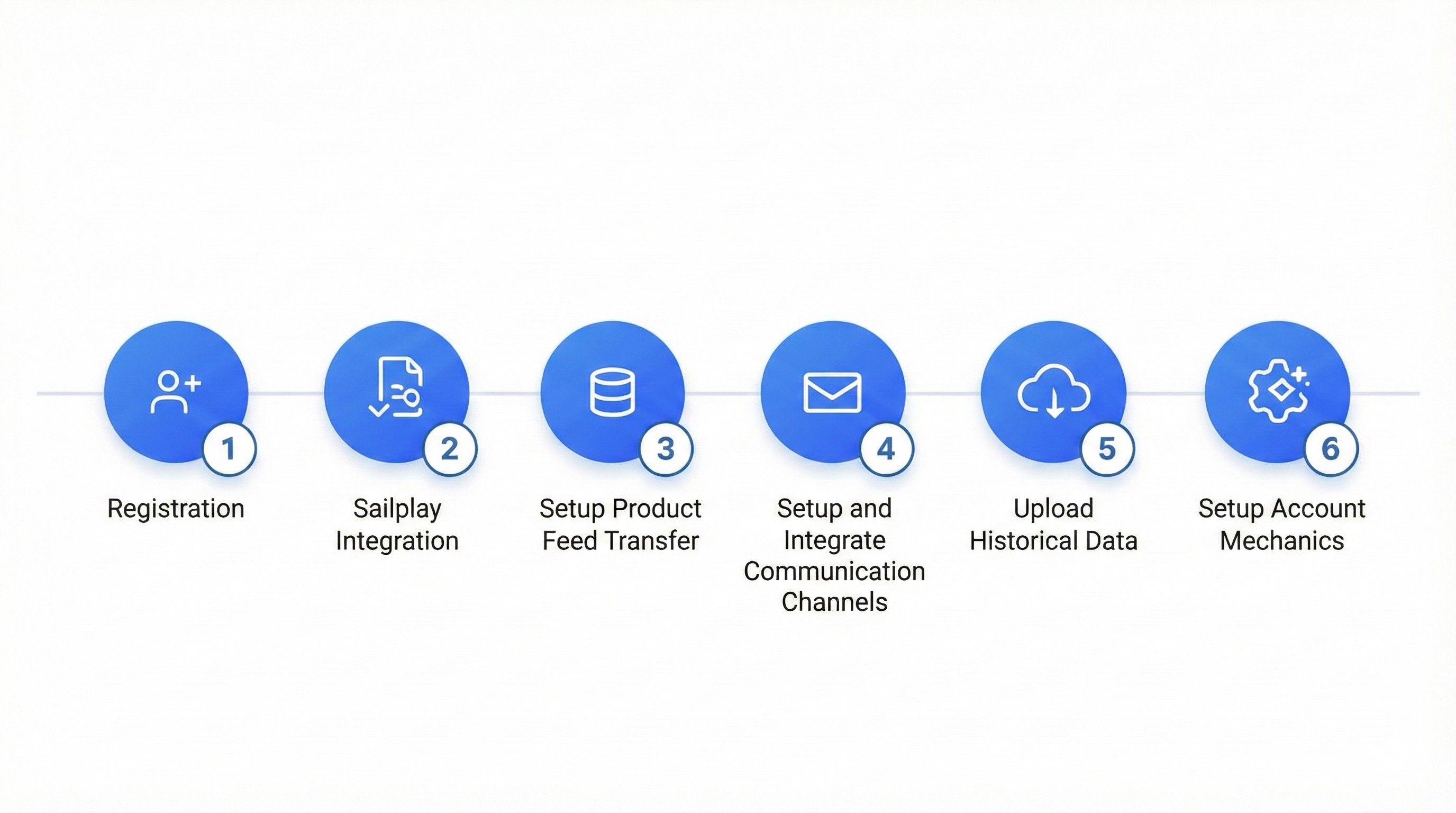
Sailplay integration includes several main stages:
- Registration - creating an account, obtaining a unique ID and credentials for API use
- Data Exchange Integration — integration according to the formed TOR (Technical Requirements)
- Product Database Transmission Setup — transmitting the product catalog
- Communication Channel Setup and Integration — connecting and configuring necessary communication channels (email, push, SMS)
- Historical Data Migration — loading historical data for clients, purchases, and departments
- Account Mechanics Configuration — configuring mechanics for the loyalty program, communications, or segmentations
Step-by-Step Integration Process
It is important to note that all work at each stage, except for the starting one, can (and in some cases must) be conducted in parallel, and the stage numbering is provided only for convenience.
For successful Sailplay integration, you will need:
- Access to the code of your website, app, or backend of any other platform for Sailplay product integration
- The ability to set up and maintain regular data exchange
Stage 1: Account Setup and Partner Access
- Register an account on the Retail Rocket website
- Get access to the Sailplay dashboard
- Obtain Sailplay API credentials
Stage 2: Integration
At the start of this stage, it is assumed that:
- all mechanics and business processes are fixed in the TOR
- the profile of data transmitted to Sailplay is formed and fixed in the TOR
The result of this stage is a completed integration that allows for the implementation of all or most business tasks.
Stage 3: Product Database Transmission Setup
For ease of integration and further work with the loyalty program or client segmentation tasks, mechanisms for loading and managing product nomenclature have been implemented in the Sailplay API, allowing you to transfer the product structure organized within your system.
At this stage, it is necessary to develop a mechanism for transmitting product nomenclature data to Sailplay and maintaining its relevance.
Product nomenclature transmission occurs in 2 stages:
- initial export of the entire current nomenclature
- product nomenclature updates with a set frequency (usually once a day, and only updates for the past day are transmitted)
Stage 4: Communication Channel Setup and Integration
Using each communication channel involves certain steps:
- email (adding a domain to Sailplay, entering DNS records)
- SMS (registering a sender name)
- push (integration according to the checklist)
The result of this stage is that all planned communication channels are configured, tested, and integrated into business processes.
Stage 5: Historical Data Migration
At this stage, the partner's historical data migration is performed. The partner can either perform the migration independently (client data can be loaded in the dashboard, purchases and departments using the API) or provide data for migration to the integration team.
Stage 6: Account Mechanics Configuration
At this stage, all necessary mechanics are configured in the Sailplay dashboard, required both for integration (for example, promotions for cart calculation or creating attributes necessary within the client data profile transmission) and for industrial operation upon its completion (trigger communications, segmentations, etc.).
The result of the stage is the complete readiness of the Sailplay account to provide the required logic for all necessary business processes. At this stage, partner training on working with the platform is often conducted in parallel with the preparation of all mechanics.