Installing push notifications with API integration
Installation
To launch push notifications, you need to add the following files to the root folder of your site: rr.wpsw.import.js rr.wpsw.empty.js
And also add the following script to the <head> section:
<script src="https://cdn.retailrocket.net/content/javascript/retailrocket.webpush.js"></script>
After adding the files, you need to contact Retail Rocket technical support (support@retailrocket.net) to check the integration and enable mailings, or inform your personal manager.
User subscription
After everything has been validated and enabled, it is possible to launch the subscription process for the user.
To do this, you need to call the following function:
<script type="text/javascript">
    retailrocket.modules.webPushSubscription.execute("<<name>>",function(subscription) {
  	// Code to send the subscription
    })
</script>
If the user agrees, a callback function will be called. The user's subscription is passed to this callback as a PushSubscription object. Further, with the subscription, you can perform the necessary actions, for example - transferring the subscription to Retail Rocket.
An example of processing a subscription object to extract the parameters required for the subscription transfer method:
retailrocket.modules.webPushSubscription.execute("<<name>>", function(subscription) {
    console.log('Endpoint: ', subscription.endpoint);
    navigator.serviceWorker.ready.then(function(registration) {
        registration.pushManager.getSubscription().then(function(subscription) {
            if (subscription) {
                const rawKey = subscription.getKey('p256dh');
                const key = rawKey ? btoa(String.fromCharCode.apply(null, new Uint8Array(rawKey))) : null;

                const rawAuthSecret = subscription.getKey('auth');
                const authSecret = rawAuthSecret ? btoa(String.fromCharCode.apply(null, new Uint8Array(rawAuthSecret))) : null;

                console.log('Public Key: ', key);
                console.log('Auth Secret: ', authSecret);
            } else {
                console.log('No subscription found.');
            }
        }).catch(function(error) {
            console.error('Error getting subscription:', error);
        });
    }).catch(function(error) {
        console.error('Service Worker not ready:', error);
    });
   // Code to send the subscription
})
In the example above, after the user clicks on the permission to receive web-push notifications, the parameter values that need to be passed to the corresponding method will be displayed in the console.
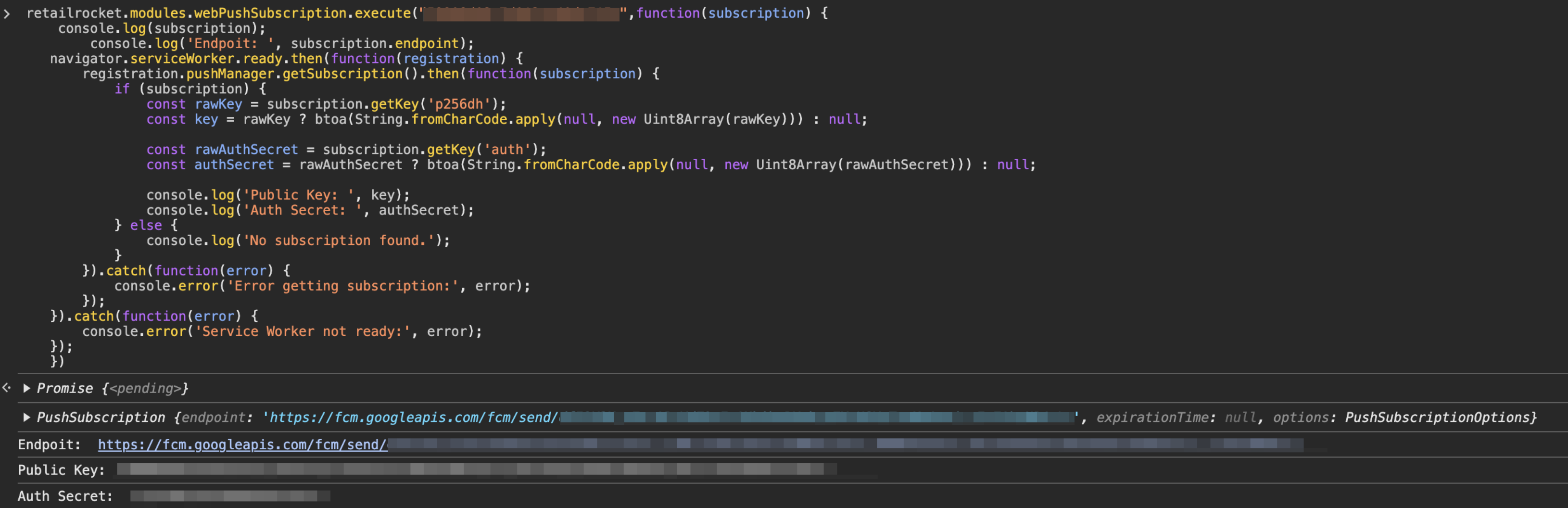
The API subscription transfer method is described in more detail in the corresponding section.