DNS records in ISPmanager
Open the DNS section
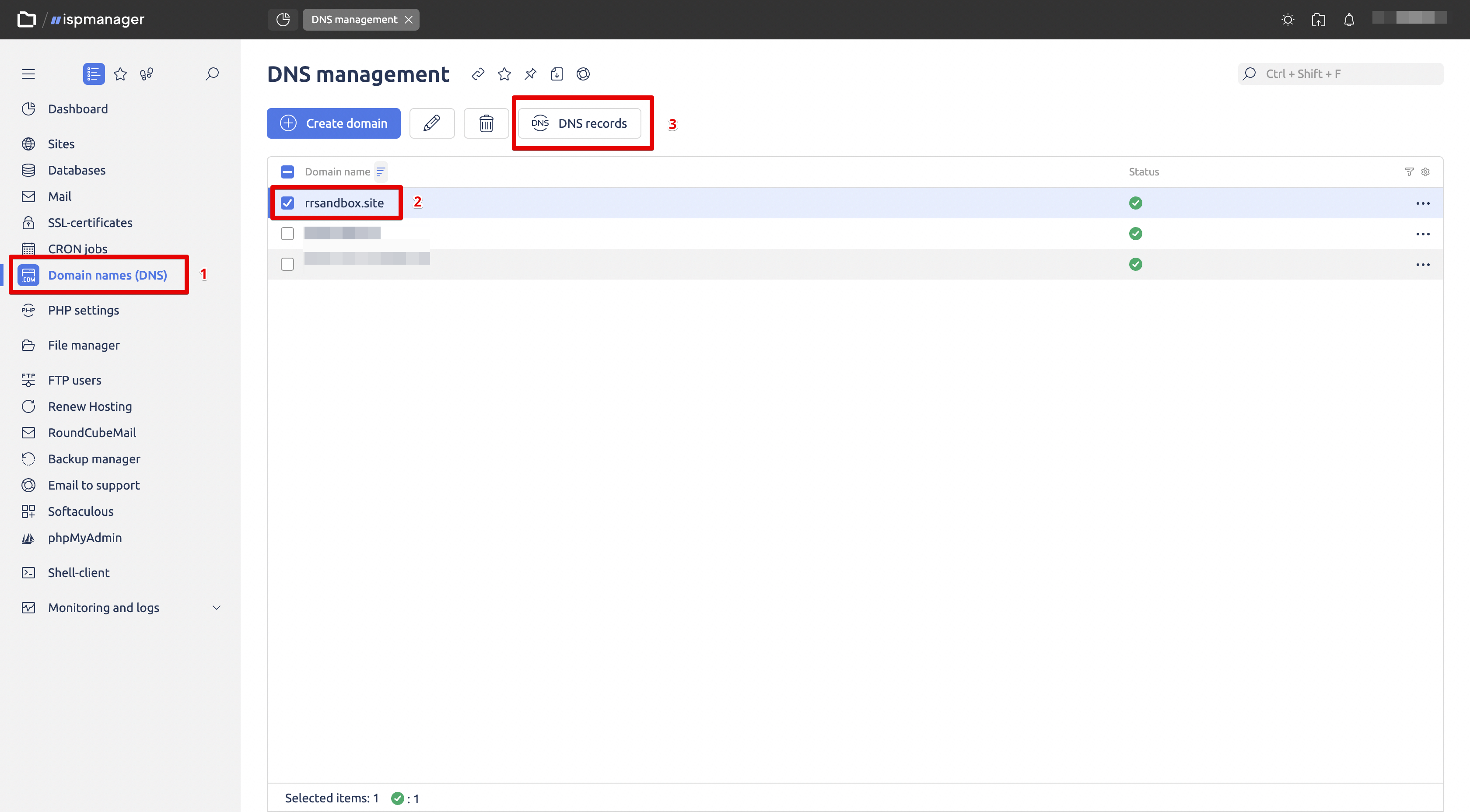
- In the left menu of ISPmanager, select Domain Names (DNS)
- Select the desired domain, then click the DNS records button
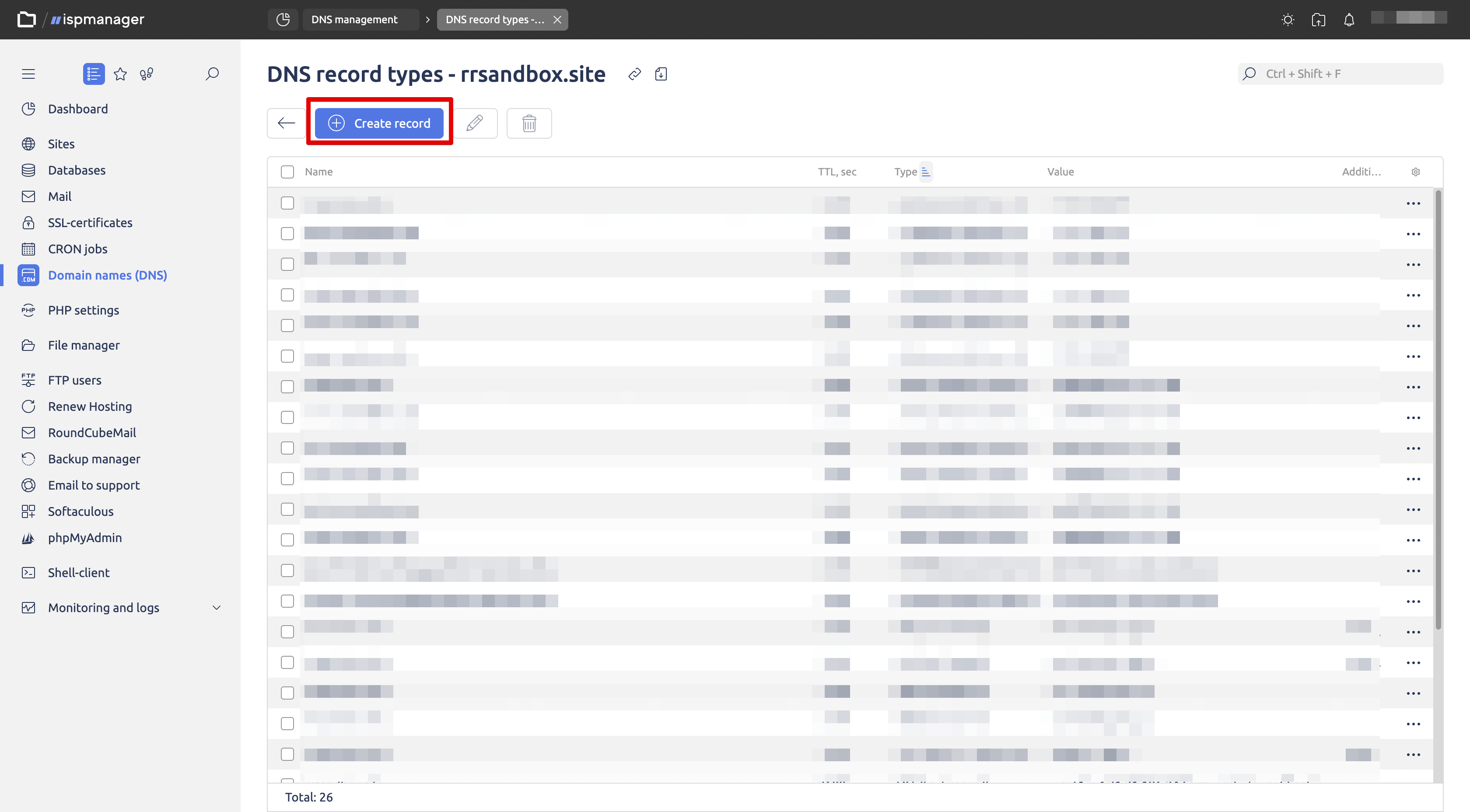
Create a new record
- On the DNS record types – <your_domain> page, click Create record.
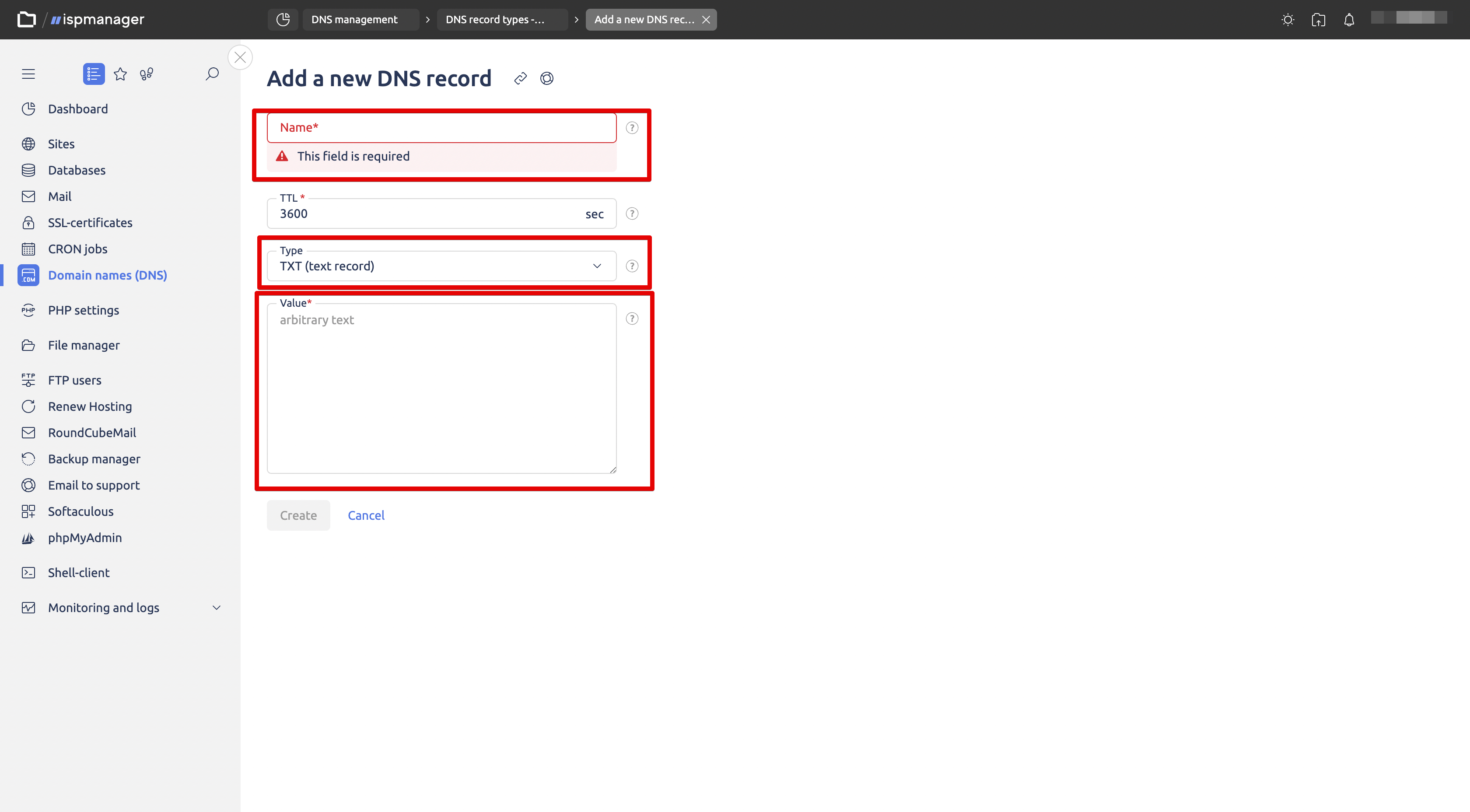
Fill in the new record fields
- In the Add a new DNS record form, specify the records according to the instructions received.
- After filling in all the fields, click the Create button
Important
DNS changes can take up to 72 hours to take effect
More about records
You can learn more about why DKIM, SPF, and DMARC records are needed on the corresponding page that describes the necessary DNS records for conducting email campaigns.